Why Your NJ Renovation Is the Best Time to Pre-Wire for Smart Home
Pre-wiring for smart home during renovation saves 10x vs retrofitting later. What to wire, where to run it, and why NJ homeowners should plan now.
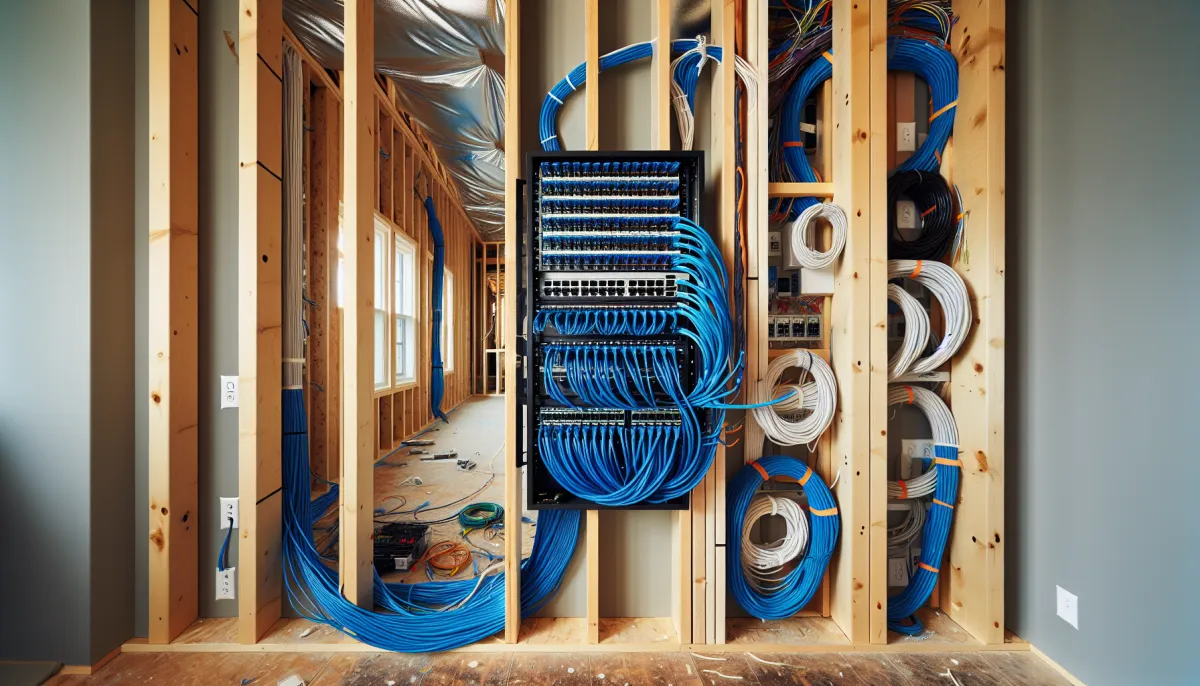
Every week we meet NJ homeowners who finished a renovation six months ago and now wish they had run smart home wiring while the walls were open. The cost difference is staggering: $50-$100 to run a cable during construction versus $500-$1,500 to retrofit the same cable after drywall is up.
If you are planning any renovation in New Jersey — kitchen, bathroom, basement, addition — smart home pre-wiring should be part of your scope, even if you are not installing equipment yet.
What to Pre-Wire and Where
Cat6A Ethernet (the backbone of everything)
Run Cat6A to every location where a device will need a wired connection:
- Every TV location — Even if you use a streaming stick today, a wired connection is faster and more reliable
- Every security camera position — PoE cameras are powered and connected through one Ethernet cable
- WiFi access point locations — Ceiling-mounted in hallways, one per floor minimum
- The network rack location — Usually in the basement utility room or a dedicated closet
Speaker Wire
- In-ceiling speaker locations — Living room, kitchen, master bedroom, bathroom, outdoor patio. Use 16/2 or 14/2 CL3-rated wire.
- Home theater locations — All surround and Atmos positions if you are finishing a basement
- Outdoor speaker locations — Run wire to the patio, deck, and pool area before closing walls
Power for Motorized Shades
- Run a power line to the top of every window header where you might want motorized shades. This is the most commonly missed pre-wire item and the most painful to retrofit. Battery shades exist but hardwired is always more reliable.
Dedicated Circuits
- A dedicated 20-amp circuit to the network rack/equipment closet location
- Dedicated circuits for home theater equipment if applicable
The Network Rack: Your Smart Home's Brain
All wiring terminates at a central network rack, typically a small wall-mounted or floor-standing enclosure in the basement or utility closet. The rack houses:
- Patch panel — Where all your Ethernet runs terminate in an organized, labeled panel
- Network switch — Connects all wired devices (a 24-port PoE switch is standard)
- Router/firewall — Your internet gateway
- UPS battery backup — Keeps everything running during short power outages
- Amplifiers — For multi-room audio (Sonos Amp or similar)
Plan for adequate ventilation — smart home equipment generates heat. We typically include a small vent fan in enclosed rack closets.
What NJ Homes from Different Eras Need
Pre-1960s (Somerville, Raritan, Bound Brook, North Plainfield, Morristown)
Plaster-and-lath walls make retrofitting nearly impossible without destroying finishes. If you are renovating any room in a pre-1960s home, run cables to adjacent rooms while walls are open — you may not get another chance.
1960s-1970s (Bridgewater, Green Brook, South Plainfield, Edison)
Split-levels and bi-levels have staggered floor levels that create long, complex cable runs. Focus on getting cables between levels during renovation. Check for Federal Pacific or Zinsco electrical panels — replace before adding smart home load.
1980s-2000s (Hillsborough, Warren, Bernards, Randolph)
Drywall construction with accessible attics and basements. These are the easiest homes to pre-wire. Take advantage of the accessible pathways.
The Bottom Line
Pre-wiring adds $1,500-$5,000 to a typical renovation — a fraction of the total project cost. It enables $50,000+ worth of smart home capability in the future. Skipping it means either paying 10x more to retrofit later or settling for wireless-only solutions that are less reliable.
Every renovation we do includes a smart home wiring consultation, even if the homeowner is not installing equipment today.
Related Articles:
- Smart Lighting Control for NJ Homes
- Smart Security for NJ Homes
- Building a Home Theater in Your NJ Basement
Related Services: